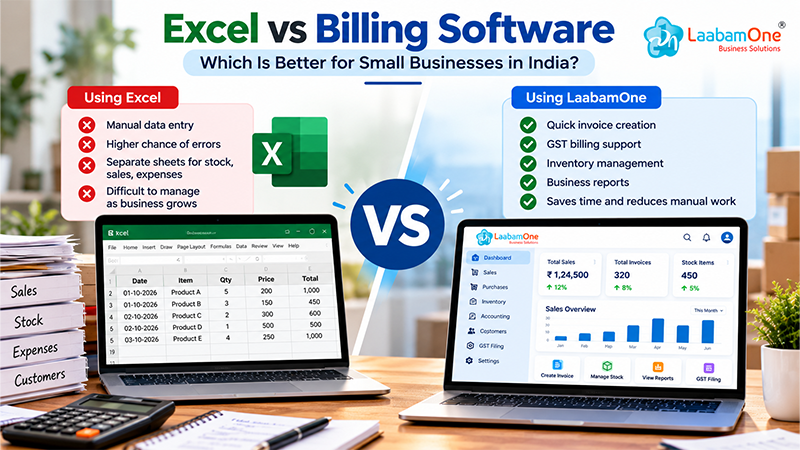
When you start a small business, Excel can be a simple way to manage your daily sales and expenses. You can create invoices, maintain customer details, and keep track of your income without spending money on additional software.
Is Excel Good Enough for Business Billing? Excel vs Billing Software
For some businesses, yes.
If you handle only a few transactions every day, Excel can do the job. You can create a billing format, calculate totals using formulas, and maintain a record of your sales.
The problem usually starts when you have more things to manage.
For example, imagine you run a small supermarket. You need to record sales, check available stock, track customer payments, and calculate your daily income. If these details are maintained in different Excel sheets, updating everything can take time.
You also need to be careful about mistakes. One incorrect entry or formula can affect your calculations.
Excel is still useful, but it may not be the most convenient option for every growing business.
What Makes Billing Software Different?
Billing software is designed to make the billing process easier. Instead of preparing every invoice manually, you can use ready-made billing features.
Depending on the software, you may also be able to manage GST invoices, inventory, accounting records, and business reports in the same system.
Think about the time you spend updating records after a busy day. Having your important business information organised in one place can make that work easier.
Of course, not every business needs all these features. The right choice depends on how you operate and what you want to simplify.
Excel vs Billing Software: What's the Difference?
1. Creating Bills
With Excel, you can create your own invoice template and use formulas to calculate the total. However, you still need to enter and maintain the details.
Billing software usually makes invoice creation more straightforward, especially when you create bills regularly.
2. Managing GST
Excel can calculate GST if the correct formulas and rates are entered. But you need to maintain the calculations and records carefully.
Billing software that supports GST can simplify invoice creation and tax calculations. Always check whether the available features meet your business requirements.
3. Keeping Track of Stock
If your business sells products, knowing what is available in stock is important.
With Excel, you may have to update your stock records manually. If you forget to record a sale or purchase, the numbers may no longer match your actual inventory.
Software with inventory management features can help you organise stock and sales information more efficiently.
4. Understanding Business Performance
At the end of the month, you may want to know how much you sold, what you spent, and which products performed well.
Excel can provide these answers, but you may need to organise the data and prepare reports yourself.
Some billing software provides reports that make it easier to review important business figures.
5. Managing Daily Work
Excel gives you flexibility, especially if you are comfortable using spreadsheets. However, as your business grows, maintaining several sheets can become time-consuming.
Billing software can reduce repetitive work and bring related records together. The actual benefit depends on the software and the way you use it.
When Should You Switch from Excel to Billing Software?
You don't need to switch just because billing software is available. First, look at the problems you face in your daily work.
It may be time to consider billing software if:
-
You create a large number of invoices regularly.
-
Updating sales and stock records takes too much time.
-
You find it difficult to keep business information organised.
-
You need easier access to sales reports and accounting records.
-
You want to reduce repetitive manual work.
On the other hand, if Excel already meets your needs and your records are easy to maintain, there may be no immediate reason to change.
The goal is not to use more software. It is to find a practical way to manage your business.
What Should You Check Before Choosing Billing Software?
Before paying for any software, spend some time understanding what it offers.
Check whether it supports the billing process you follow, whether it has the GST features you need, and whether it can manage your inventory if you sell products.
Pricing matters, too. A software plan should fit your budget without making you pay for features you will never use.
If a demo or free trial is available, try it before making a decision. Creating a few sample invoices and exploring the reports can help you understand whether the software is right for your business.
Exploring LaabamOne for Your Business
If you're looking for a way to manage billing along with other business activities, you can explore LaabamOne business management software.
LaabamOne brings business management capabilities together in a digital platform. Depending on the features available in your chosen plan, it may help you manage activities such as billing, accounting, and inventory.
Rather than deciding based on a feature list alone, take a look at the product and see whether it fits the way you run your business.
Cost is another important consideration, particularly for small businesses. You can check LaabamOne's pricing plans to review the available options before deciding.
Frequently Asked Questions
1. Can I use Excel instead of billing software?
Yes. Excel can work well for simple billing and record-keeping. If your transactions increase or you need more connected business features, billing software may be worth considering.
2. Is Excel suitable for GST billing?
Excel can calculate GST using formulas, but you must maintain the correct rates and records. Software with GST billing features may make the process more convenient.
3. Is billing software worth the cost for a small business?
It depends on how much time you spend on billing and record-keeping, which features you need, and what the software costs. Compare these factors before deciding.
4. How do I choose billing software?
Start with your actual business needs. Compare ease of use, billing features, GST support, inventory management, reports, pricing, and customer support.
5. Where can I find LaabamOne's pricing details?
You can visit the LaabamOne pricing page to review the available pricing information.
Final Thoughts
Excel is a good starting point for many small businesses. It is flexible and can handle basic billing without much complexity.
But when managing invoices, stock, and business records starts taking more time than expected, it may be worth exploring billing software.
Take a look at your current process, identify what is slowing you down, and choose the option that makes managing your business easier. If you're considering a digital solution, LaabamOne is one option you can explore before making your decision.